
Download SmartCV – AI‑Powered Resume Builder for Tech Professionals
Overview
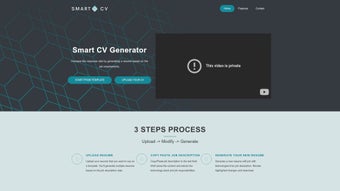
SmartCV is a cloud‑based, AI‑driven web application that takes the guesswork out of resume tailoring for software engineers, data scientists, and technology managers. In today’s hyper‑competitive tech job market, a generic résumé often gets lost in the applicant tracking system (ATS) or fails to highlight the exact skill set a hiring manager is seeking. SmartCV solves that problem with a three‑step workflow: upload your existing resume, paste the target job description, and let the platform intelligently extract relevant technologies, responsibilities, and keywords.
The result is a polished, ATS‑friendly document that mirrors the language of the posting while preserving your personal brand. Because the tool runs entirely in the browser, you never need to install bulky software, and all data is processed over a secure HTTPS connection, ensuring privacy for your career information. Whether you’re hunting for a senior backend role, a DevOps lead position, or a product management opportunity, SmartCV adapts its suggestions to the specific demands of the role, dramatically improving response rates and interview invitations.
Key Features & How SmartCV Works
- AI‑Powered Job Description Parsing: The engine reads the posted job ad, identifies key technologies (e.g., Docker, React, Kubernetes), and extracts core responsibilities.
- Smart Resume Rewriting: Using natural language processing, SmartCV rewrites bullet points to align with the extracted keywords while keeping your original achievements intact.
- Three‑Step Simplicity: Upload → Input Job Description → Review & Download. No steep learning curve.
- ATS Optimization: Generates clean, semantic HTML or PDF formats that pass through most applicant tracking systems without flagging formatting errors.
- Version Control: Store multiple tailored versions in your account, making it easy to switch between roles or industries.
- Security & Privacy: All uploads are encrypted at rest, and no data is sold to third parties.
- Real‑Time Preview: See instant updates as the AI refines each section of your résumé.
Step‑by‑Step Workflow
The user experience is designed for speed and clarity. First, you drag‑and‑drop an existing PDF or Word résumé into the upload area. SmartCV immediately parses your content, creating a structured outline of sections such as “Professional Experience,” “Technical Skills,” and “Education.” Next, you paste the full job description into a dedicated field.
The AI scans the text, highlights required technologies, and scores each bullet point of your existing résumé against the job’s criteria. Finally, a review screen shows suggested edits, new bullet points, and a confidence score indicating how well the revised résumé matches the posting. You can accept, tweak, or reject each recommendation before hitting the “Download” button, which offers PDF, DOCX, or clean HTML output.
Why It Matters for Tech Professionals
Technical roles often list dozens of specific tools and frameworks, and recruiters use keyword matching to filter candidates. By automatically aligning your résumé with those exact terms, SmartCV reduces the chance of being filtered out. Moreover, the platform helps you articulate impact in a language that resonates with hiring managers—turning vague statements like “worked on backend services” into quantifiable achievements such as “engineered micro‑service architecture using Node.js and Docker, improving API latency by 35%.” This level of precision not only boosts ATS scores but also makes your résumé more compelling during human review.
Installation, Usage Instructions & Compatibility
Because SmartCV is a web‑based SaaS solution, there is no traditional “installation” process. Users simply navigate to smartcv.io using any modern browser (Chrome, Edge, Firefox, Safari) on Windows, macOS, Linux, or even mobile operating systems like Android and iOS. The platform is fully responsive, so you can craft a tailored résumé from a desktop workstation or a tablet while on the go.
Getting Started in Minutes
- Create an Account: Register with an email address or use OAuth (Google, GitHub) for a one‑click sign‑up.
- Upload Your Current Resume: Drag your PDF, DOCX, or plain‑text file into the upload zone. SmartCV will automatically extract sections and list your existing bullet points.
- Paste the Target Job Description: Copy the full posting from LinkedIn, Indeed, or a company career page into the provided textbox.
- Review AI Suggestions: The platform highlights matched keywords, suggests new bullet points, and provides a “match score” for each section.
- Download the Final Product: Choose between PDF (print‑ready), DOCX (editable), or HTML (for online portfolios) and click “Download.”
System Requirements & Operating System Compatibility
SmartCV runs on any device with a modern web browser and an active internet connection. Minimum requirements include:
- Browser version: Chrome 80+, Firefox 75+, Safari 13+, Edge 85+
- Internet speed: 2 Mbps or higher for quick AI processing
- JavaScript enabled (required for real‑time preview)
- Optional: PDF viewer or Microsoft Word for opening the downloaded files
Security & Updates
All data transfers are encrypted using TLS 1.3, and the AI models are hosted on secure cloud infrastructure that receives regular security patches. Because SmartCV is continuously updated on the server side, you always benefit from the latest algorithm improvements without needing to download a new version. Users receive email notifications about major feature releases, such as new industry‑specific templates or enhanced keyword extraction for emerging technologies like Rust or AI/ML frameworks.
Pros, Cons, & Frequently Asked Questions
Pros
- Time‑Saving: Generates a fully tailored résumé in under five minutes.
- ATS‑Friendly Formatting: Produces clean, parser‑compatible documents.
- AI Accuracy: High match scores for modern tech stacks and soft‑skill requirements.
- Secure Cloud Processing: No local installation reduces malware risk.
- Cross‑Platform: Works on Windows, macOS, Linux, Android, and iOS browsers.
Cons
- Subscription Model: Free tier limits the number of resumes per month.
- Internet Dependency: Requires a stable connection; offline editing isn’t available.
- Learning Curve for AI Suggestions: Some users may need a few tries to understand how to fine‑tune the AI’s output.
FAQ – SmartCV (FAQPage)
Is SmartCV safe to use with confidential resume data?
Yes. All uploads are encrypted in transit and at rest. SmartCV does not store your documents longer than 30 days and never sells personal data to third parties.
Can I use SmartCV on a mobile device?
Absolutely. The web app is fully responsive and works on Android and iOS browsers, allowing you to create and download resumes from a phone or tablet.
What file formats does SmartCV support for download?
You can export your tailored resume as PDF (print‑ready), DOCX (editable in Microsoft Word), or clean HTML for online portfolios.
How many resumes can I generate on the free plan?
The free tier allows up to three customized resumes per month. Upgrading to the Pro plan removes this limit and adds advanced analytics.
Does SmartCV integrate with LinkedIn or other job boards?
While there’s no direct one‑click integration, you can copy job descriptions from LinkedIn, Indeed, or company career pages into the SmartCV interface, and the AI will process them instantly.
Conclusion & Call to Action
In a market where every keyword can be the difference between a callback and a missed opportunity, SmartCV offers a strategic advantage for tech professionals who want to present their experience in the most compelling, data‑driven way possible. By automating the tedious matching process, the platform frees up valuable time for upskilling, networking, or preparing for interviews. The AI‑powered suggestions are not a replacement for human judgment but a powerful ally that ensures your résumé speaks the same language as the hiring manager and the ATS. Whether you’re a junior developer looking to break into a new stack or a senior engineering leader targeting a VP role, SmartCV scales to meet your needs.
Ready to boost your interview rate? Sign up for a free account today, upload your current resume, and experience how a few clicks can turn a generic document into a job‑winning masterpiece. Remember, the fastest path to your next tech opportunity starts with a resume that truly reflects the job you want—SmartCV makes that happen.
Overall Rating: 5 out of 5 stars



.png)



